Design cloud architecture
at the speed of thought
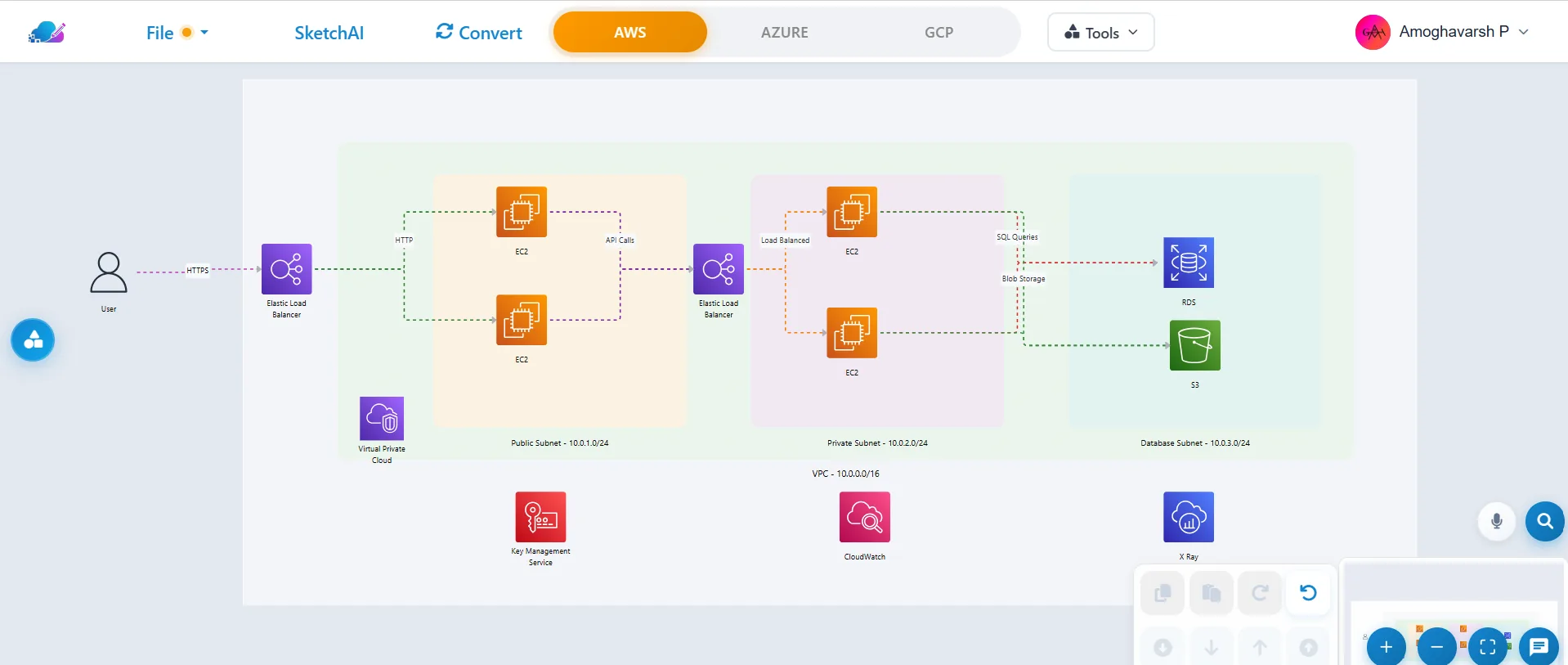
Describe your system in plain English. CloudSketcher draws it for AWS, Azure or GCP, then converts, prices, documents and ships it as Terraform.


Design a serverless web app with a CDN, an API, functions, a database, object storage and user sign-in.


Trusted by architects and engineers at
- Microsoft
- Capgemini
- Bosch
- Accenture
- Nutanix
- Temenos
- Aspire Systems
- Sutherland
- 1,000+
- Professionals
- 3
- Clouds
- 1,200+
- Official icons
- 150+
- Service mappings
designing with CloudSketcher
AWS, Azure and Google Cloud
across all three clouds
for one-click conversion
- Microsoft Sponsored Program member
- Salesforce Accelerator Program member
One workspace, six AI tools
Everything between the whiteboard and production
Each tool works on the same diagram, so a design flows from first sketch to cost estimate, documentation and code without copy-paste.
Describe the system. Get the diagram.
- Plain-English prompts for AWS, Azure or GCP
- Networking, security and observability tiers where they belong
- Reopen past conversations and keep refining
How it works
From prompt to production in four steps
One diagram carries through every step, so nothing gets lost between tools.
Step 1
Describe
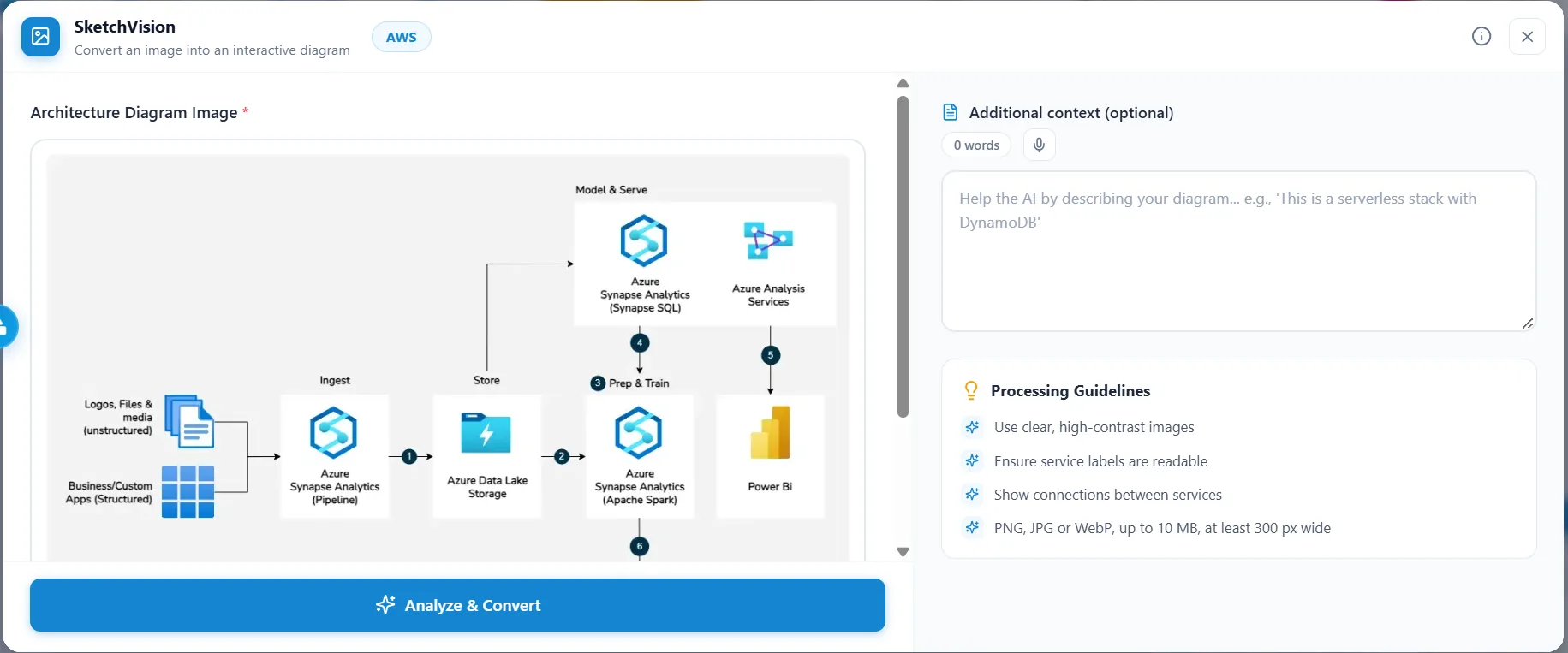
Type what you need or upload a photo of a whiteboard. The AI produces a first draft in seconds.
- SketchDraw
- SketchVision
Step 2
Refine
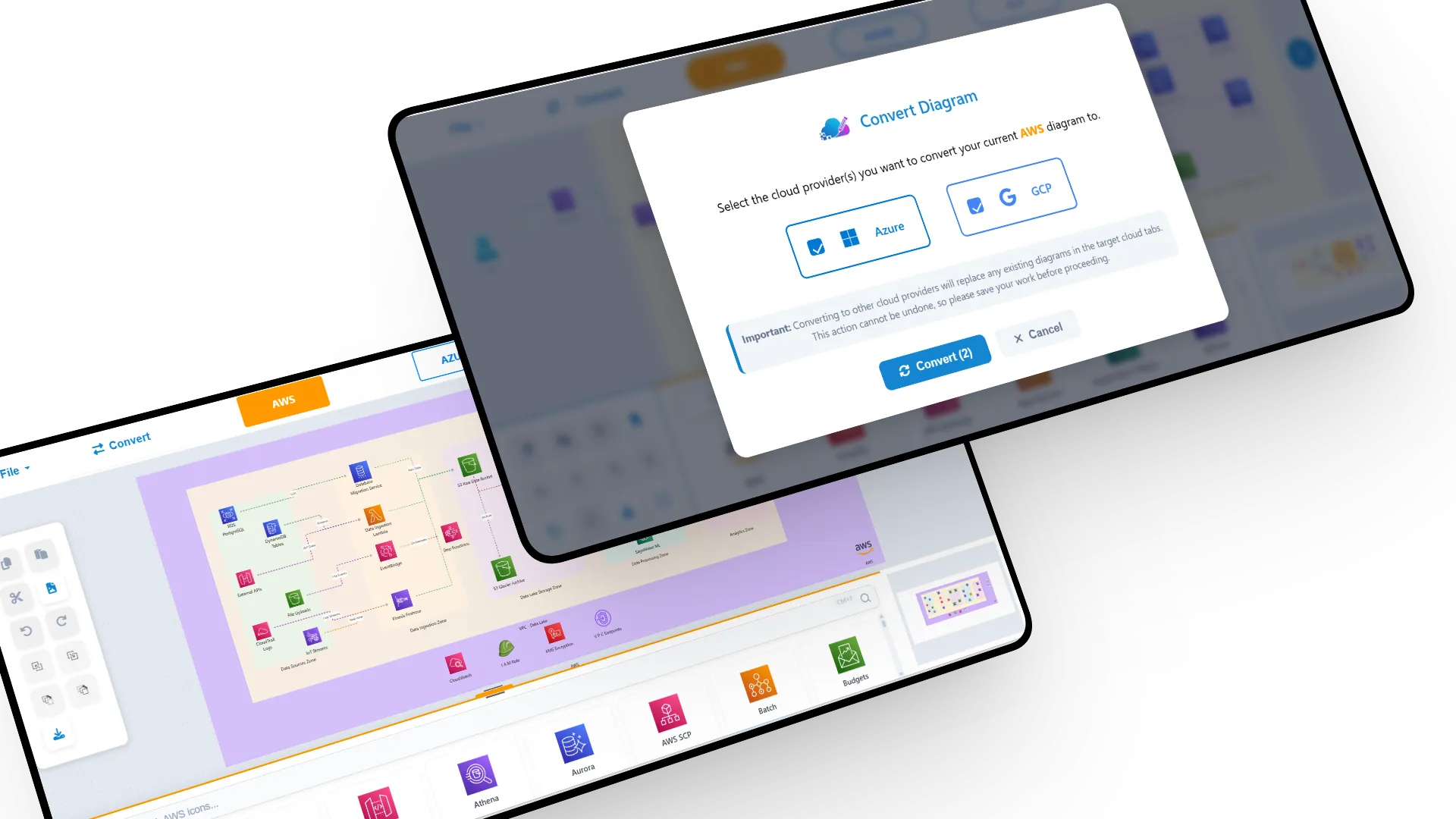
Edit on a real canvas with groups, alignment guides and voice commands, then convert to any cloud.
- Editor
- SketchConvert
Step 3
Cost & document
Price the design on every cloud and generate the architecture document your reviewers expect.
- SketchPricing
- SketchDocs
Step 4
Ship
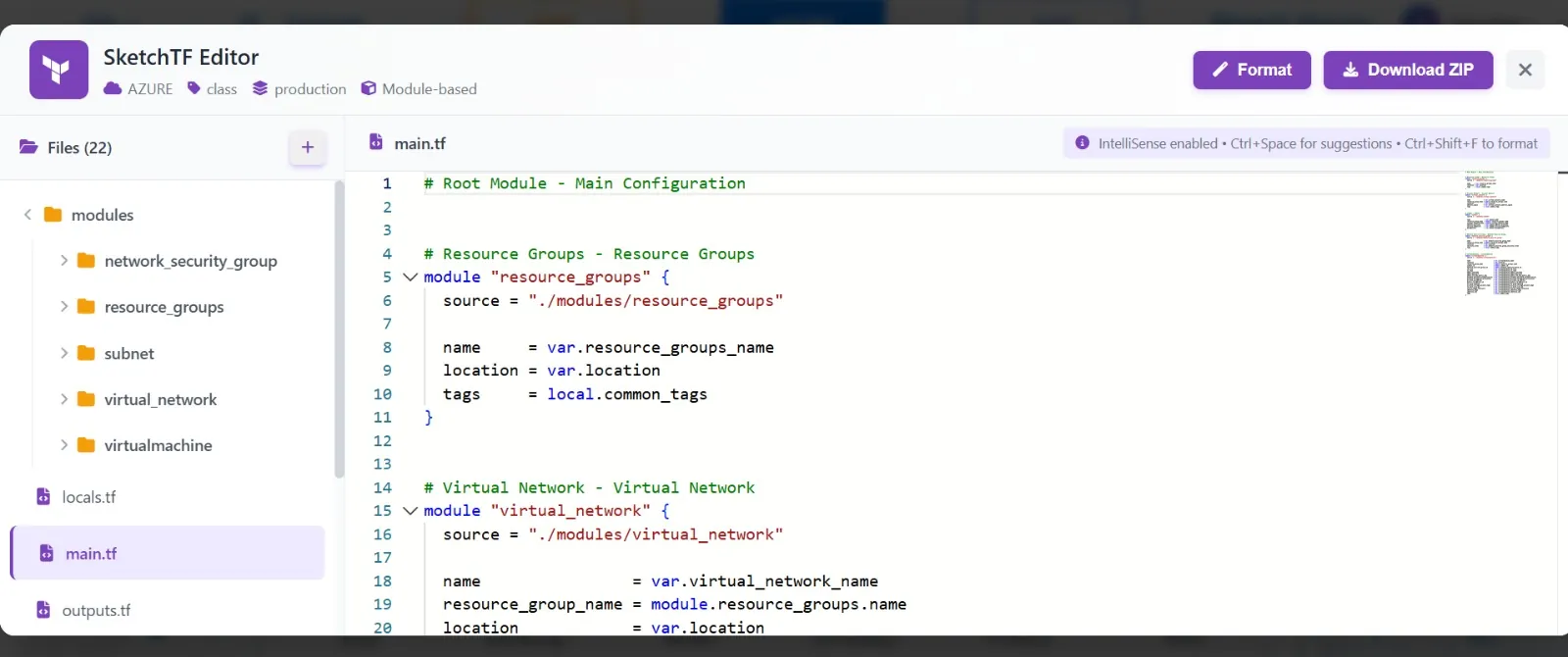
Export modular Terraform, or share PNG, PDF and SVG exports with your team.
- SketchTF


What's new in v2.5
Sharper with every release
Highlights from the latest updates to the editor and the AI tools.
Redesigned SketchPricing
Side-by-side clouds, monthly or yearly views, spend by category and a full Excel report.
Branded PDF documents
SketchDocs exports a PDF with cover page, clickable contents and your diagram.
Animate the data flow
Trace requests from entry points through each service, step by step.
Terraform that keeps running
Large jobs continue in the background and resume after a refresh.
Voice commands
Draw, connect, duplicate and auto-layout services by voice.
Keyboard first
Ctrl+S saves to the same file, recent files reopen in a click, ? shows every shortcut.
Pricing
Start free. Scale when your team does.
Every AI tool is included on the free plan. Need more usage or hands-on help? Talk to us.
Free
For individuals and small projects.
$0forever
Start designing free- All AI tools: SketchDraw, SketchVision, SketchDocs, SketchPricing and SketchTF
- Monthly AI allowance per tool, tracked in Plan & usage
- Unlimited conversion between AWS, Azure and GCP
- PNG, JPG, PDF and SVG exports with no watermark
- PDF, Word and Markdown docs, Excel cost reports
Team & support
For teams that design cloud architecture every day.
Customtailored to you
Contact us- Everything in Free
- Higher AI usage limits for your team
- Priority support with a dedicated help desk
- Exclusive templates
- Help designing your solutions
Consulting
Need hands-on help?
Certified engineers and FinOps practitioners who work across AWS, Azure and GCP.
In the press
What people are saying
Is CloudSketcher free?
Yes. The free plan includes every AI tool with a monthly allowance per tool, unlimited conversion between clouds and watermark-free exports. You can see your remaining usage and reset date under Plan & usage.
Do I need an account?
You sign in with email or Google so your AI allowance and settings follow you. No credit card is required.
Which clouds are supported?
AWS, Microsoft Azure and Google Cloud, with over 1,000 official service icons and mappings between more than 150 equivalent services.
Where are my diagrams stored?
Diagrams are saved as .cmap files on your own device. In Chrome and Edge, Ctrl+S keeps saving to the same file and recent files reopen from the File menu.
Can I export to Terraform?
Yes. SketchTF turns a diagram into module- or resource-based Terraform you can edit in the built-in editor and download as a ZIP.
Does it work on mobile?
You can browse and review on any device, but the editor is designed for a laptop or desktop screen.
Your next architecture is one prompt away
Join over 1,000 professionals who design, convert and document cloud architectures with CloudSketcher.